


R3910.00
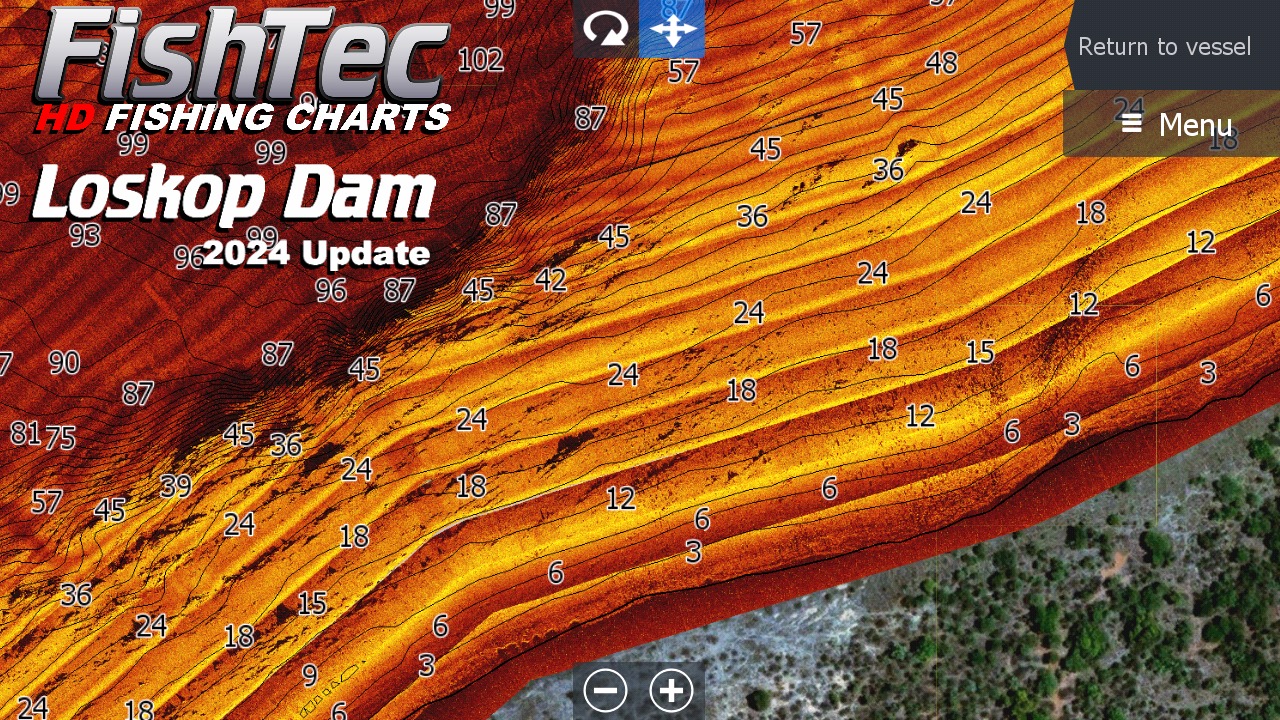
UltraHF Mosaic (SideScan), Satellite, Contours, Sediment and Panoramic “sky view” and “water view” photos.
Lead time on delivery within South Africa is approximately 3 to 7 working days.
All FishTec charts are provided on a security-encrypted Micro SD card with a standard SD card adapter for use in compatible Lowrance or Simrad units only.
A FishTec high definition fishing chart provides detailed information about the body of water, allowing you to more effectively plan your fishing strategy by easily identifying potential fishing spots both before you get onto the dam and while on the water.
COMPATIBILITY:
Lowrance: HDS Pro, HDS Live, HDS Carbon, HDS Gen 3, HDS Gen 2 and Elite Ti, Elite Ti2 and Elite FS
Simrad: Go7 and Go9
CROSS-BORDER/INTERNATIONAL SALES AND SHIPPING: Please contact us for pricing and more information.
CHART DETAILS:
UltraHF Mosaic (SideScan), Satellite, Contours, Sediment and Panoramic “sky view” and “water view” photos.
Watch the video for a more detailed look at what to expect from the chart.
LOSKOP CHART update Video 2024 : https://www.youtube.com/watch?v=NRR6d5WcNMc&t=2662s (Watch from the 8:35 minute mark)
USING THE LOSKOP CHART:
For use in a compatible Lowrance or Simrad unit only.
Set the Genesis Live/Structure overlay (on your main menu screen) to OFF before putting the chart card into your unit.
Select the PAGES Button
Select CHART
Select MORE OPTIONS
Set “Orientation” to NORTH UP
Select CHART SOURCE
Select NAVIONICS
Zoom in on the Navionics map to South Africa and then zoom into the approximate location of Loskop Dam.
Insert your Chart into your unit and say “YES” to any pop-ups.
For every CHART SOURCE (Satellite, UltraHF, Elevation etc.) Select MORE OPTIONS, CHART OPTIONS, PHOTO OVERLAY. Turn PHOTO OVERLAY onto FULL.
CHART SOURCE: UltraHF2024
Set the Photo overlay onto full. “Categories” leave line and point turned on – turn depth Area off
If you still cannot see the 2024 UltraHF chart source, this may mean that your unit’s RAM is overloaded. Try a restore to default on your unit. Back up your waypoints on your own SD card, not your FishTec chart card, before attempting this.
After a restore to default, your unit may automatically reset the Genises Live Overlay to “ON” which needs to be turned “OFF” again.
Also watch the video for more information on how to navigate the chart.
FishTec uses cookies to provide a better browsing experience. View our Privacy Policy to learn more.